Getting Started
Before signing up you can try OmniRank for free in a sandbox environment. Click on the 'Start the free trial' button on the login screen.
Login / Sign Up / Try For Free
After you open OpenRank inside your web browser, the first thing you will see is the login screen (see below). To sign in or sign up click on the relevant tab. If you just want to have a quick look or get the OmniRank SEO/AEO Report for free, you can navigate to the sandbox environment by clicking on the 'Start the free trial' button.
- Light
- Dark
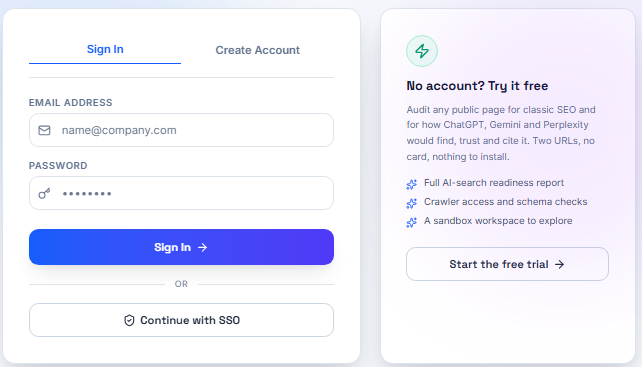
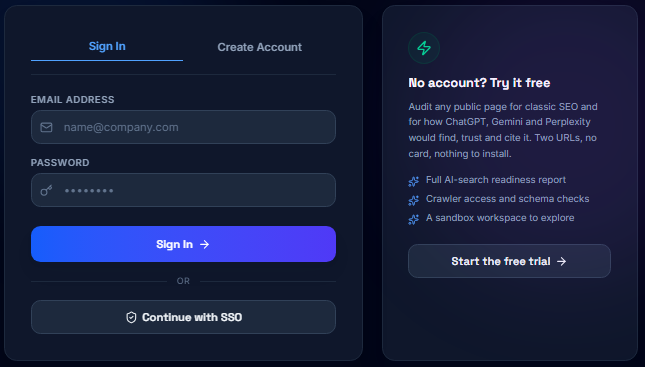
To use the SSO login option you would first need to cofigure it inside OmniRank. This is useful if you want to make sure all the people thatwould use the tool have an active and current access to your business domain (i.e. the one you are using for the SSO).
To log in, simply enter your credentials in the designated field on the 'Sign In' tab. If you don't have an account yet, you can easily create one by clicking on the 'Create Account' tab, which is shown below:
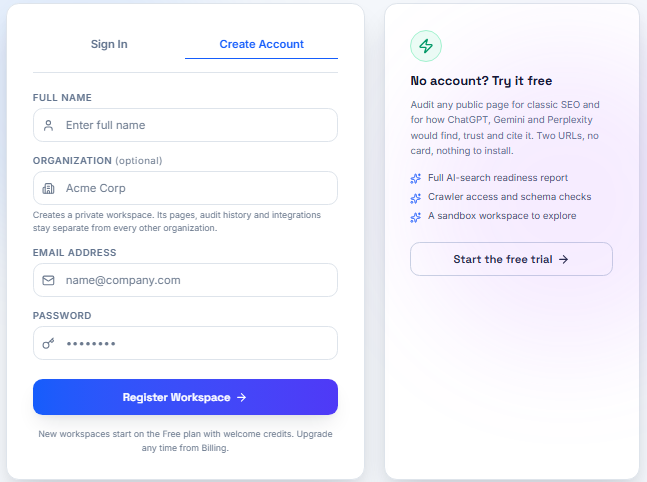
Fill in the required information, including your name, organization, email address, and a secure password. Once you've completed the form, click the Register Workspace button to create your account. By signing up, you agree to our Terms of Service and Privacy Policy. After successfully signing up, you will be automatically logged in.
The Side Menu
Upon successful login, the main menu (shown below) is displayed on the left hand side of the window. This is your primary command center for interacting with the OmniRank tool.
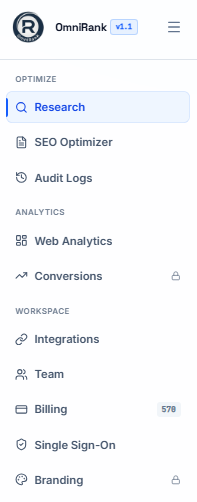
To minimize the side menu on the mobile screens, click on the hamburger button.
1. Optimize
The Optimize suite provides the discovery, content enhancement, and tracking tools required to boost your search rankings and AI citations.
- Research Uncover high-intent keywords, conversational queries, semantic entity clusters, and AI prompt patterns. Identify content gaps and competitive opportunities across traditional and generative search spaces.
- SEO Optimizer
Real-time, on-page content optimizer. Evaluate structural readability, schema markup, technical tags, and conversational authority to ensure maximum crawlability and direct LLM synthesis. - Audit Logs
A chronological record of automated and manual optimizations, content revisions, technical site audits, and crawler health checks.
2. Analytics
Track visibility, measure traffic, and understand how search engines and generative models interact with your web assets.
- Web Analytics
Monitor key performance metrics including organic traffic trends, impressions, click-through rates (CTR), top-performing pages, and average search positions. - Conversions (Requires Growth Plan or higher) Track user actions from both classic search engines and AI referral sources. Attribute signups, purchases, and custom micro-conversions directly to your optimized landing pages.
3. Workspace
Configure your environment, collaborate across departments, and ensure enterprise-level security.
- Integrations
Connect seamlessly with content management systems (WordPress, Webflow, Shopify), and analytics platforms. - Team
Invite team members, assign granular role-based access control (RBAC), and manage collaborative optimization workflows. - Billing
Manage your subscription tier, monitor usage quotas, track remaining research credits, and download invoices. - Single Sign-On (SSO)
Enterprise identity management supporting SAML 2.0 / OAuth via providers such as Okta, Azure AD, and Google Workspace. - Branding (Requires Agency Plan or higher)
White-label client reports, customize dashboard logos, and tailor export templates to match your brand identity.
Quick Start Actions
| Goal | Recommended Tool |
|---|---|
| Find keywords & answer prompts | Optimize ➔ Research |
| Score and edit a live page | Optimize ➔ SEO Optimizer |
| Review organic traffic trends | Analytics ➔ Web Analytics |
| Connect CMS or analytics engine | Workspace ➔ Integrations |
| Invite team collaborators | Workspace ➔ Team |