Model Configuration
As part of Priset's Bring Your Own Key (BYOK) architecture, you have complete control over the AI engine powering your Glass Box Harness.
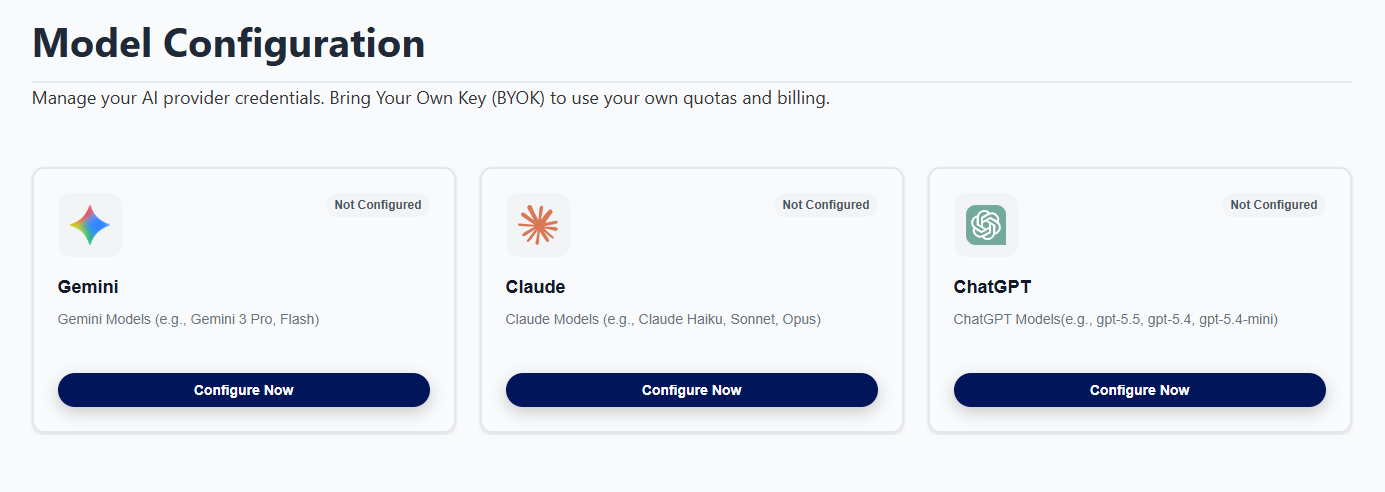
The Model Configuration section allows you to choose your AI Provider and supply your own AI Key (Bring Your Own Key - BYOK). Priset supports multiple providers, giving you the flexibility to use the model that best fits your needs.
- All credentials are encrypted locally using industry-standard AES-256 encryption before being stored in our database.
- Priset never stores your keys in plain text.
- Access is strictly limited to your own organization's explicit session requests.
Configuring AI Providers
You can configure one or more AI providers. Below are the details for the most common configurations. Click on the specific Provider button in order to open a specific configuration screen.
Once the specific configuration is successfully saved and validated by AI Provider's servers, the "Not Configured" warning will update to "Configured" status, indicating your particular AI core is ready to operate.
OpenAI Configuration
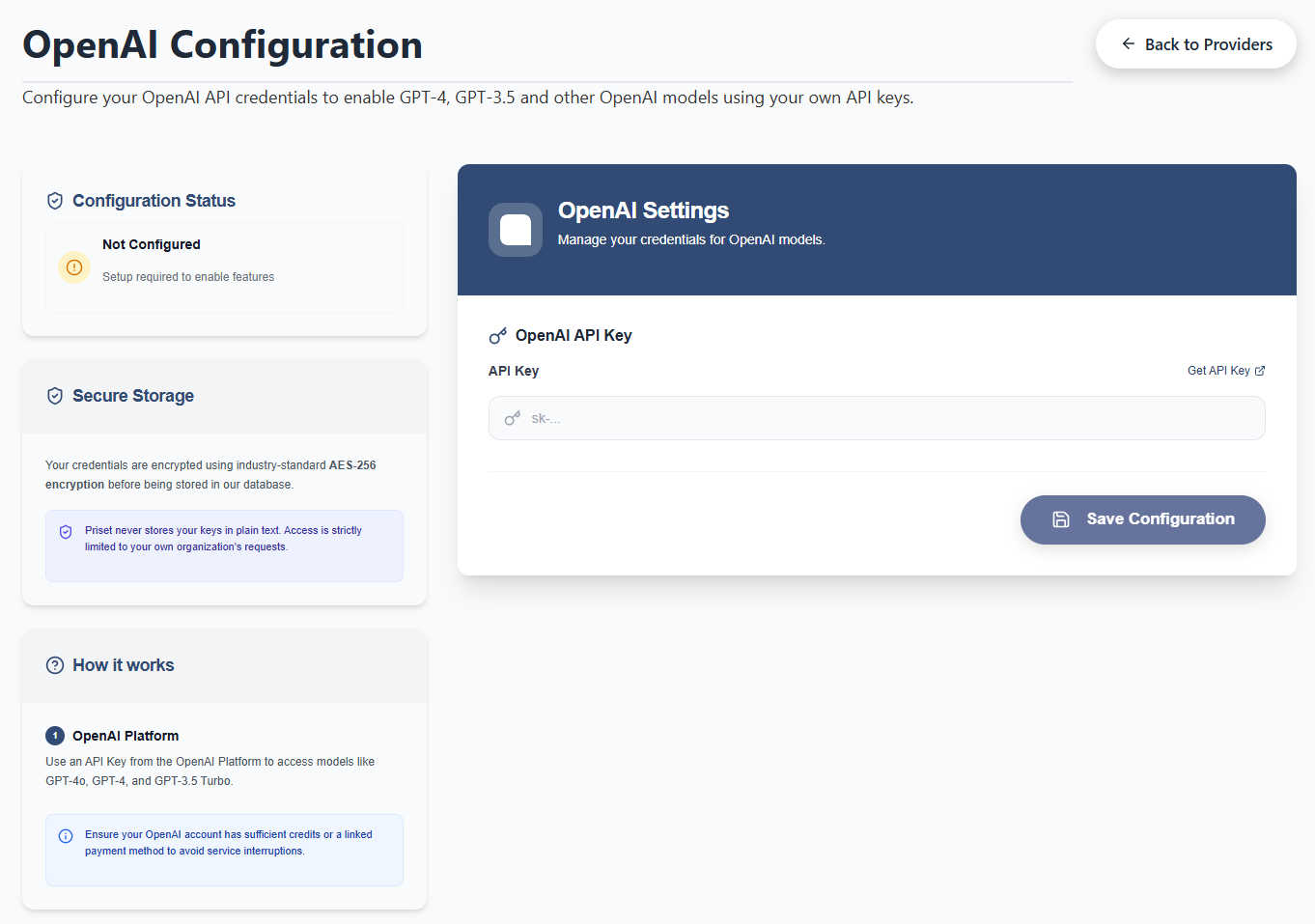
By connecting your OpenAI account, you can power Priset's Glass Box harness with the industry's most versatile, proven models. This is done by clicking on the ChatGPT Button, entering the API key into the textbox provided and clicking on the Save Configuration Button.
Follow the instructions inside the "How to get credentials" section on the page in order to get your ChatGPT key from the Open AI website.
Claude AI Configuration
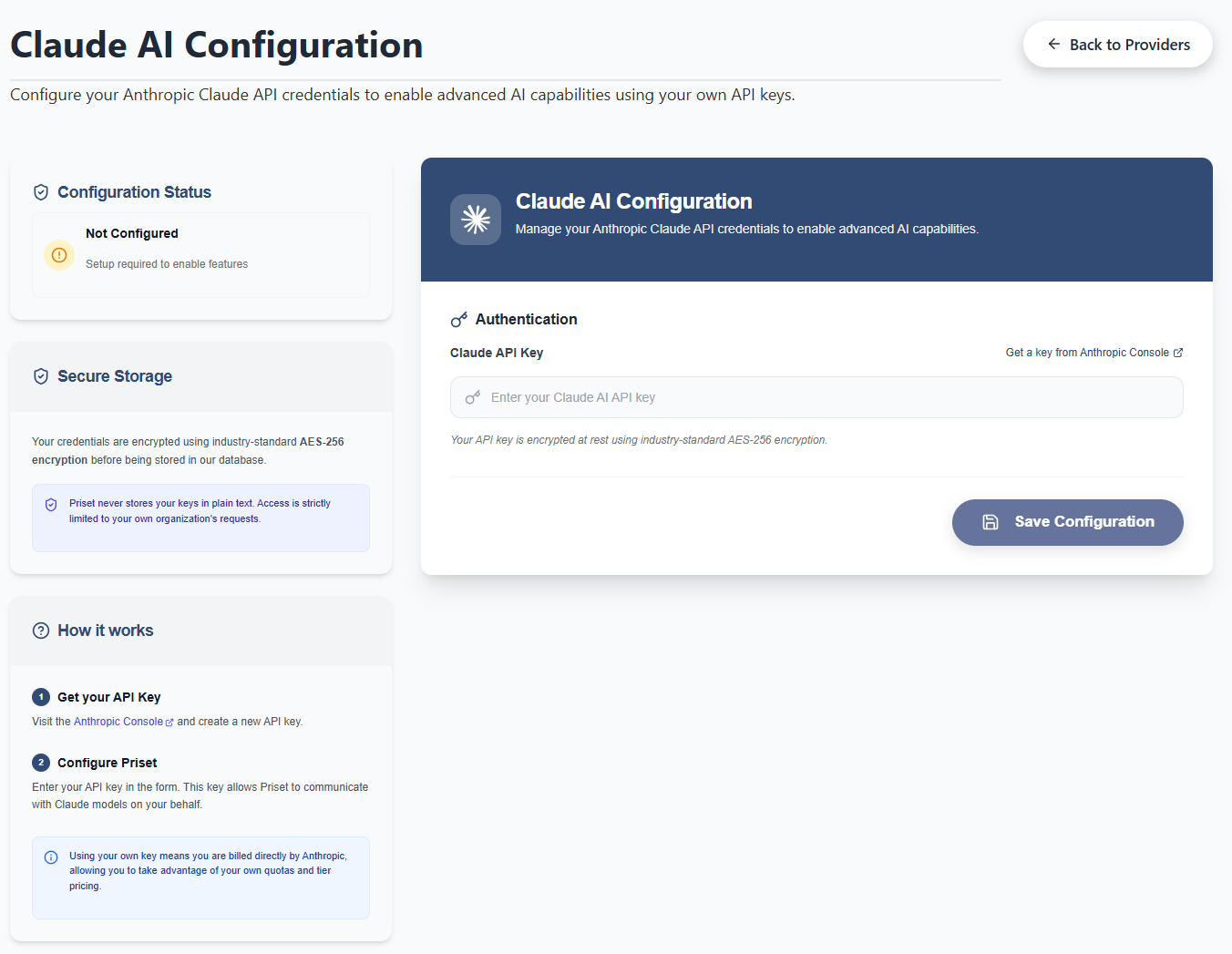
To power Priset's Glass Box orchestration harness with Anthropic's raw coding logic, you need to connect your own Claude API key. This is done by clicking on the Claude Button, entering the API key into the textbox provided and clicking on the Save Configuration Button.
While Claude is unmatched for rapid prototyping and raw logic, remember that you can also configure Google Gemini for strict zero-retention enterprise compliance.
Follow the instructions inside the "How to get credentials" section on the page in order to get your Claude key from the Anthropic console.
Gemini Vertex AI Configuration
Configuring Google Gemini provides you with the "Enterprise Vault"—the ultimate solution for IP protection, strict data governance, and zero-retention policies. This is the recommended configuration for enterprise architectures, proprietary business logic, and government compliance.
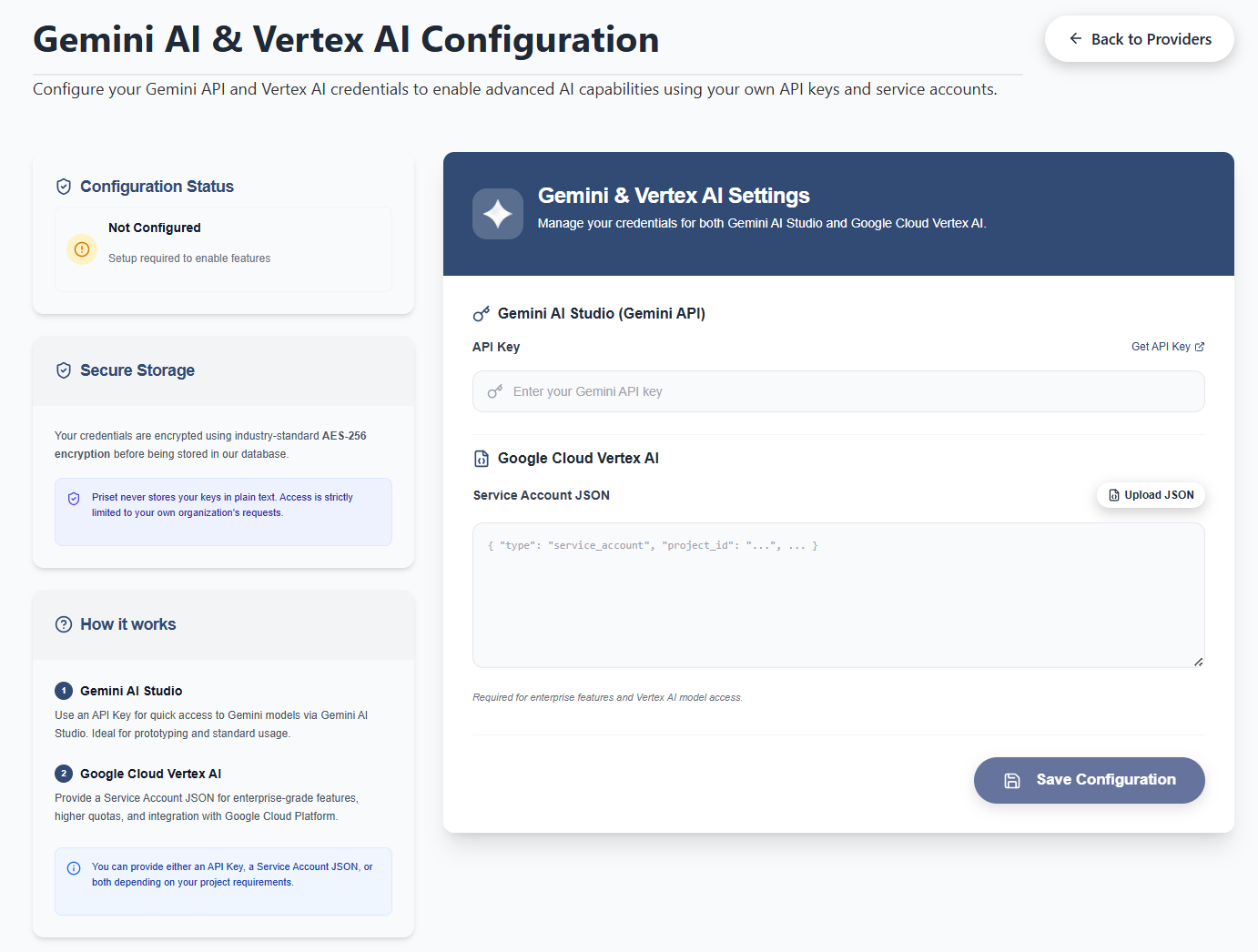
Priset's configuration panel allows you to connect to Google's models through two different pathways, depending on your architectural needs. You can provide either an API Key, a Service Account JSON, or both.
Standard Gemini API key is ideal for rapid prototyping, solo developers, and standard usage.
Project JSON is required for enterprise-grade features, higher rate quotas, and deep integration with your existing Google Cloud Platform (GCP) environment. This is the pathway that guarantees strict enterprise data compliance and zero-retention (your codebase is never used to train Google's models).
Follow the instructions in the "How to get credentials" section on the page depending on which pathway you want to use.
Ensure that your API keys have the necessary permissions and sufficient credits with the respective providers to avoid service interruptions.