The CLI is for Scripts. The Glass Box is for Systems.

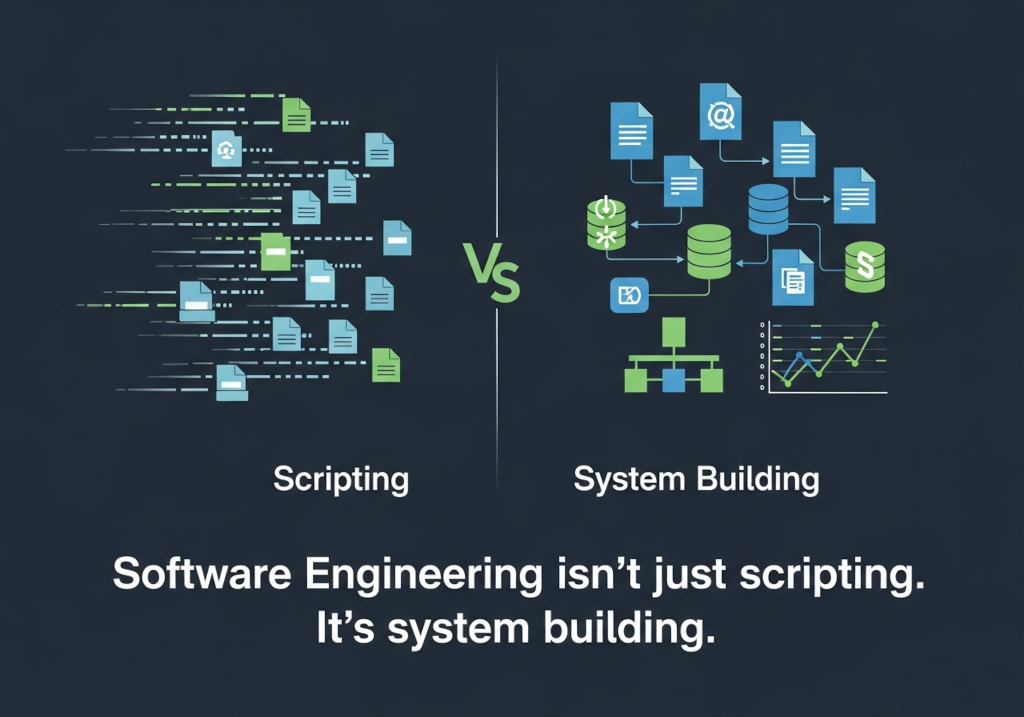
There is a seductive speed to the Command Line Interface (CLI). It feels raw, fast, and powerful. For years, the "10x Developer" archetype was someone living in a terminal, piping commands and executing scripts without ever touching a mouse.
In the age of AI, tools like Claude Code or autonomous agents have doubled down on this "Terminal Mode." You type a prompt, the text streams by, and a file changes. For a Python script or a quick utility function, it is undeniably fast.
But software engineering isn't just scripting. It’s system building.
When you are refactoring a legacy monolith, migrating WCF to .NET 9, or debugging a race condition in a React frontend, "speed" isn't measured by how fast text appears on a screen. It's measured by context, safety, and control.
This is why we built the Glass Box. Because while the CLI is for scripts, the IDE is for systems.
The Problem with "Keyhole Surgery"
Using a CLI-based AI agent on a large enterprise codebase is like performing surgery through a keyhole.
The AI sees the file you pointed it to. It might see the file you cat'd into the context. But it is fundamentally blind to the ecosystem.
- It can't see the UI: It guesses pixel offsets based on code, but it can't look at a screenshot and say, "That button is misaligned."
- It creates "Black Box" anxiety: You issue a command, wait 30 seconds, and hope the agent didn't hallucinate a dependency that breaks your build pipeline.
When you are working on "Real World" projects—the kind that pay mortgages and power enterprises—you cannot afford to be blind.
The Glass Box: Why Architecture Requires a HUD
At Priset, we believe the future of development isn't "text-in, text-out." It is a Collaborative Heads-Up Display (HUD). This is the core of our "Glass Box" philosophy.
By living inside your IDE (whether that's VS Code or our upcoming IntelliJ integration), Priset doesn't just read text; it understands the Graph.
- Repo-Wide Context: Because we utilize Google's Gemini 3 Flash Enterprise models with massive context windows, Priset reads the structure of your project, not just the open file. It ensures type safety across 15 related files, not just the one you are editing.
- Visual Feedback Loops: You can paste a screenshot of a bug directly into Priset. The AI sees the error visually and corrects the code logic to match. Try doing that in a terminal.
- The "Director" Mode: You don't "fire and forget" with Priset. You watch the plan form in real-time. You intercept the logic before the code is written. It’s the difference between an autonomous taxi and Power Armor.
The "Forked Editor" Trap vs. The Plug-in
A common solution in the market right now is the "AI Editor"—tools like Cursor or Windsurf. They offer a better experience than the CLI, but they come with a heavy cost: Vendor Lock-in.
To use them, you have to uninstall your standard environment and install a "forked" version of VS Code.
- The Enterprise Risk: This breaks approved corporate IT tooling lists. It complicates security patch cycles. It forces your team to learn a new tool just to get AI features.
- The Priset Advantage: We meet you where you work. Priset is a plug-in. You keep your approved IDE, your themes, and your shortcuts. We simply amplify them.
Security: The Elephant in the Room
The biggest barrier to using AI tools on a "Work Laptop" is usually IT Security. CLI agents that execute code autonomously in the cloud or "Black Box" editors that harvest data for training are non-starters for serious companies.
We built Priset to pass the strictest Enterprise Security reviews:
- Zero Retention: Code snippets sent for inference are discarded immediately.
- No Training: We never use your IP to train our models.
- Transit Security: Everything is wrapped in TLS 1.3 encryption.
We have compiled a comparison of how Priset stacks up against the "Black Box" alternatives regarding privacy, context, and architecture.
📄 Download the Priset vs. The Rest (Security & Feature One-Pager)
Conclusion: Use the Right Tool
If you need to write a quick Python script to parse a CSV? Use the CLI. It’s great at that.
But if you are building, migrating, or maintaining a System? Don’t work in the dark.
Turn on the lights. Use the Glass Box.