Q&A Mode: Interrogate the Code
Collaboration doesn't stop once the code is written. With Q&A Mode, you can engage in a deep dialogue with Priset about the codebase. Instead of just accepting what the AI generated, you can interrogate it exactly like a Senior Architect would review Junior's pull request. However, this can happen before the pull request is created.
Priset Q&A Mode turns Junior developers into Senior Architects by allowing them to interrogate the code exactly like it is done during the code review process (i.e. before the actual event).
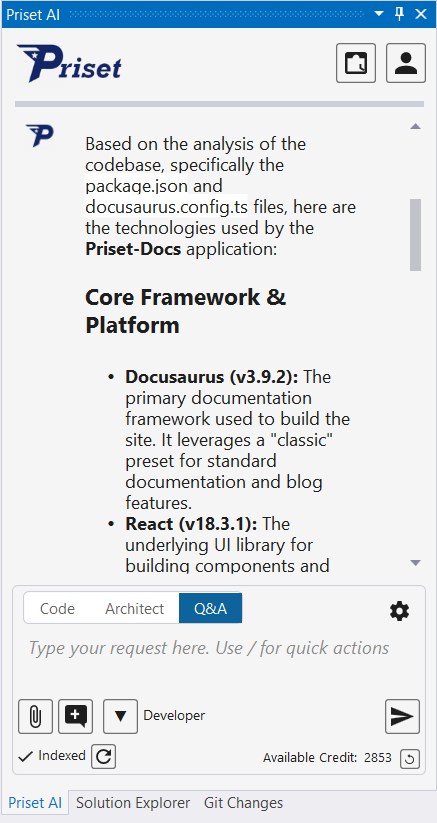
Show below is the output when the user entered the following prompt into Priset:
What are the technologies used by this app?
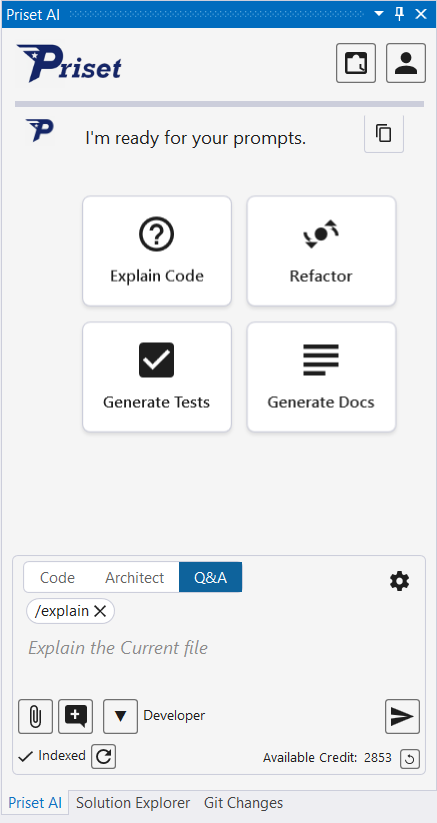
There is a Quick Button named 'Explain Code' (shown below) that works with the Q&A Mode. Depending on the context in which this button is clicked, one of the three things will happen:
- Currently selected text/code will be examined and explained
- Current file will be examined and explained
- The whole solution/app will be examined and explained
However, the Q&A Mode goes beyond simple prompts to explain the code. To drastically increase the quality, security, and performance of the code, developers can use Q&A Mode to ask questions like:
- "Is the use case for an incomplete user profile covered here?"
- "What happens to our memory usage if this database query returns 100,000 rows?"
- "Are there any hidden security vulnerabilities, like SQL injection or missing auth checks, in this module?"
- "Did we handle all the error states and API timeouts properly?"
- "How does this new logic impact the legacy authentication system we modernized yesterday?"
By asking these questions, you force the AI to evaluate its own work against your high-level constraints. You catch edge cases, bottleneck risks, and logical gaps before they ever hit your source code repo and testing environment.